
Module 2 · Local Services Ads: pay per lead, not per click
Bids, budgets, and what a lead really costs
Your profile’s submitted; now let’s talk about the money, because Local Services Ads bills differently from everything else and you want to understand it before it understands you. You pay per lead, not per click. A call becomes billable at roughly 30 seconds. There are three ways to control what you spend, and one of them is the right beginner default. And there’s a piece of arithmetic that tells you the true maximum that can leave your card in a month — we’ll do it with real numbers so nothing surprises you.
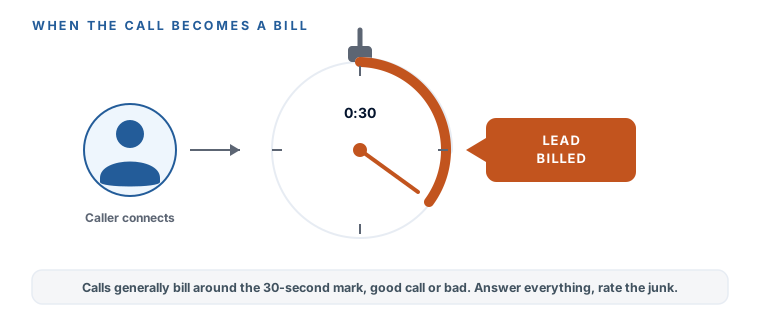
When you actually get charged
You’re charged per valid lead — a real person contacting you — not per click and not per impression. For a phone call, “valid” generally kicks in at around 30 seconds. That threshold cuts both ways, and it’s worth sitting with: a genuine 90-second conversation with a great prospect bills, which is exactly what you want. But so does a 90-second call that turns out to be “sorry, wrong area” — and as you learned last lesson, you can’t get that one credited if it’s a geo or job-type miss. The next lesson is all about the credit reality; for now, just internalize the rule: a call past about half a minute is a bill. Which is one more reason your service types and service area needed to be tight.
The three bidding modes, plainly
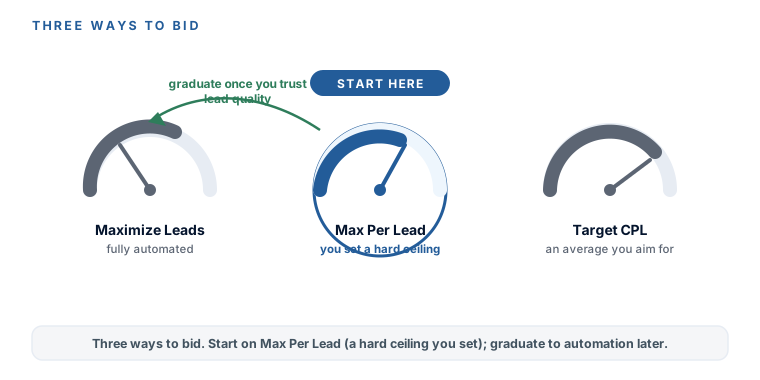
Google gives you three ways to tell it how to spend on leads. Here they are in plain English, with the beginner call made for you:
- Maximize Leads — the automated mode. You hand Google a budget and it chases as many leads as it can. It recommends a budget big enough to buy at least ten leads a week and about two weeks to stabilize. It’s the default recommendation, and it’s honest — but it’s hungry, and it decides what a lead is worth, not you.
- Max Per Lead — you set a hard ceiling on what a single lead can cost. A $150 cap means Google won’t chase a lead it thinks will cost $160. This is the control-freak’s mode, and for a beginner in a pricey vertical like legal — where leads run $100–$300 — it’s the right default. You stay in charge of the number.
- Target CPL — you aim for an average cost per lead and let Google vary around it. A middle path; useful once you know your real numbers, less so on day one.
Maximize Leads
The automated mode — hand Google a budget, it chases as many leads as it can. Hungry, and it decides what a lead is worth.
Max Per Lead — start here
A hard ceiling on what one lead can cost. The right beginner default in a pricey vertical like legal ($100–$300 leads).
Target CPL
Aim for an average cost per lead and let Google vary around it. A middle path — useful once you know your real numbers.
The decisive call: start with Max Per Lead, at a cap you take straight from your Budget & Expectations Worksheet math back in the first module. You graduate to Maximize Leads later, once you’ve seen a few weeks of leads and you trust their quality enough to let Google off the leash. Control first, automation once you’ve earned the confidence to give it up.
The budget math: what can really leave your card
Here’s the part nobody explains clearly. You don’t set a monthly budget in LSA — you set an average weekly budget. Any single week can run over it (Google smooths out busy and slow weeks), but the month is capped. Worked with a real number so it’s not abstract, a $500 weekly budget lands at about $2,171 a month — not $2,000:
Your true monthly maximum (weekly × 30.4 ÷ 7)
That gap is exactly the kind of thing that surprises people on their first invoice, so do this arithmetic with your own weekly number before you submit, and write the monthly maximum on your worksheet. Now you know the ceiling, and no bill can be a shock.
What a lead really costs — and why your account is the only benchmark
You’ll find published LSA lead prices online. Treat every one with suspicion, because not a single one discloses a rigorous methodology. The honest range to plan around is roughly $50 to $300 per lead, with legal at the high end. You’ll see specific vendor figures floating around — one estimate puts an estate-planning lead around $45 and a personal-injury lead around $249 — and those are fine as rough illustration, but they’re single-vendor guesses with no published method behind them, not benchmarks to bank on.
There is no reliable public LSA cost-per-lead benchmark, and no honest person will promise you one. The figures here are ranges, dated to July 2026, and your own account will land where it lands. Prices and platform rules move — check Google’s own pages before you rely on any number, this course included. The only cost-per-lead that matters is the one your account actually produces, and a later module teaches you to read it.
You understand how LSA money moves: you pay per lead, a call bills at roughly 30 seconds good or bad, and you’ve chosen Max Per Lead with a hard cap from your worksheet as your beginner default — automation comes later, once you trust the lead quality. You’ve done the weekly-to-monthly arithmetic (weekly × 30.4 ÷ 7) and written your true monthly ceiling down, so no invoice can surprise you. And you know the honest lead-cost range is $50–$300 with legal at the top — a planning range, never a promise, with your own account as the only real benchmark. Next: the two habits that decide whether all of this actually pays — answering fast, and rating every lead.